CRM Re-Enrollment Campaign
Modified on: Thu, 30 Jan, 2025 at 1:25 PM
Re-Enrollment Campaign
Re-enrollment is a challenge for the childcare centers. 1Core Solution has introduced a new feature called 'Re-enrollment', to simplify the process.
This feature helps the center to build relationships with existing families and makes it easier for the director to know parents' decisions regarding the re-enrolling of their child in the center.
1.1 Create a Re-Enrollment Campaign
The re-enrollment campaign offers to send an invitation to the parent and get the confirmation of their interest to re-enroll at the center.
Follow the steps below, to create a new re-enrollment campaign.
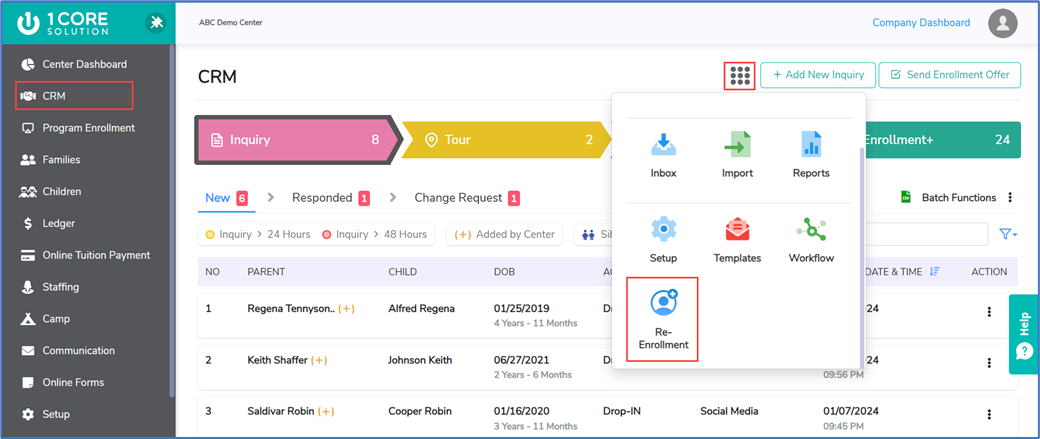
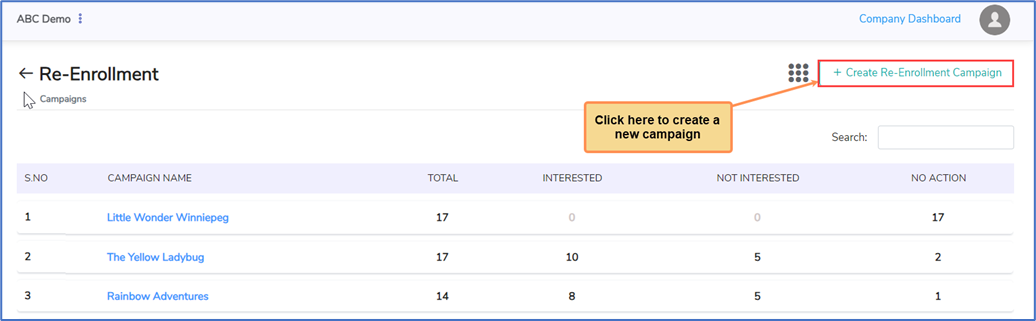
Step 1: Fill in the necessary details which are mandatory for creating a new campaign.
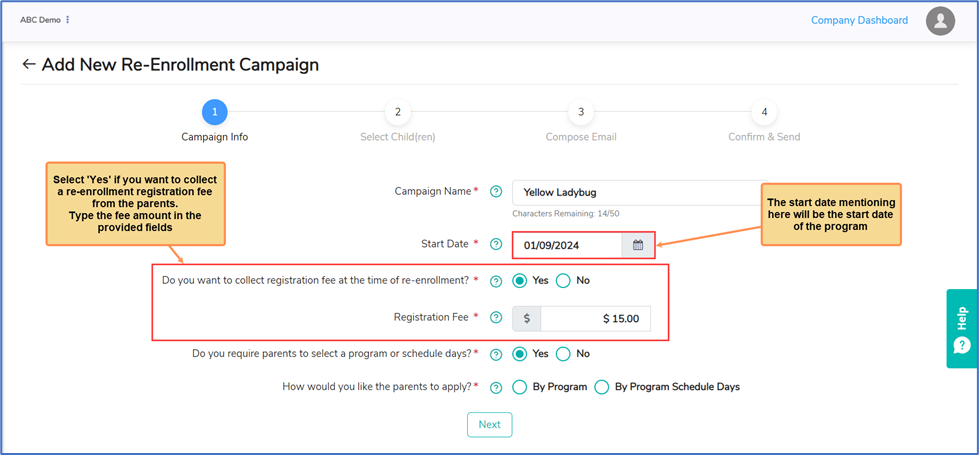
- By Program
The ‘By Program’ option allows parents to select a preferred program based on the child’s age group at the time of re-enrollment. Through this option, the center receives the parent's confirmation for the re-enrollment invitation, along with their preferred program.
For instance, if the child is an ‘Infant Toddler’ in the upcoming age group and if the parent selects ‘I’m Interested’ option, they will be redirected to view the list of programs suitable for infant toddlers.
- By Program Schedule Days
The ‘By Program Schedule Days’ option allows parents to select their preferred schedule days. Through this option, the center receives the parent's confirmation for the re-enrollment invitation, along with their preferred days.
Step 2: Select the children to whose parents you want to send the re-enrollment campaign invitation.
Use the filter icon to sort the children based on their age group.
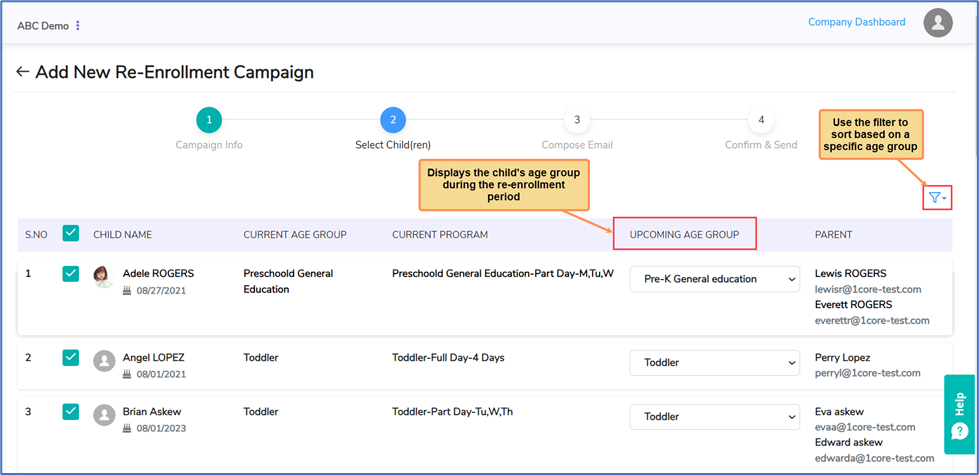
Upcoming Age Group: The upcoming age group depends on the child’s age at the time of re-enrollment.
For example, there are two age groups: Infant (1-12 months) and Toddler (13-36 months).
If a child is an infant in the current year and becomes 16 months old during the re-enrollment process, they will be moved into the toddler age group.
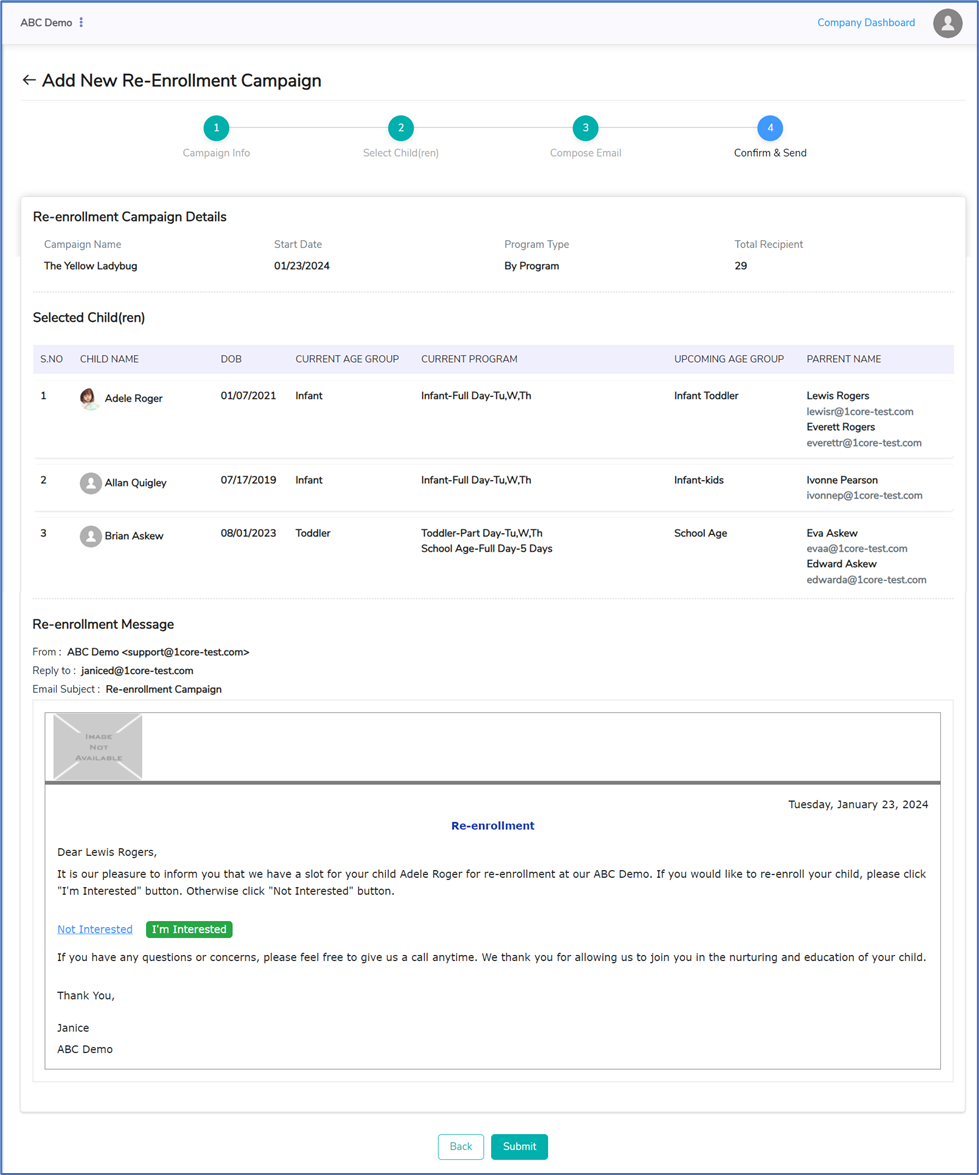
Step 3: A template with a default email message is displayed to send the re-enrollment campaign invitation to the parent.
Step 4: Confirm and send it to the parents.
1.2 Parent Response
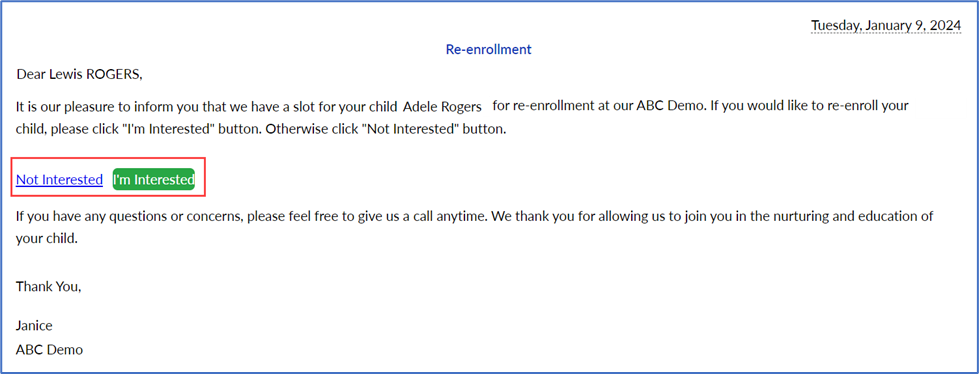
Parents will receive an email invitation. In response to this email, parents can confirm their availability and re-enroll their child in the center.
1.2.1 I’m Interested
If the parent is interested in re-enrolling their child in the center, they can select the ‘I’m Interested’ option.
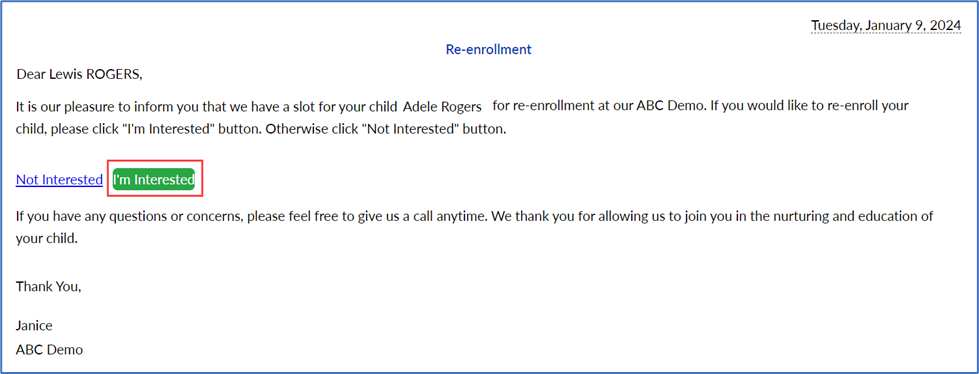
On selecting the 'I'm Interested' option, they will be redirected to the page displayed below.
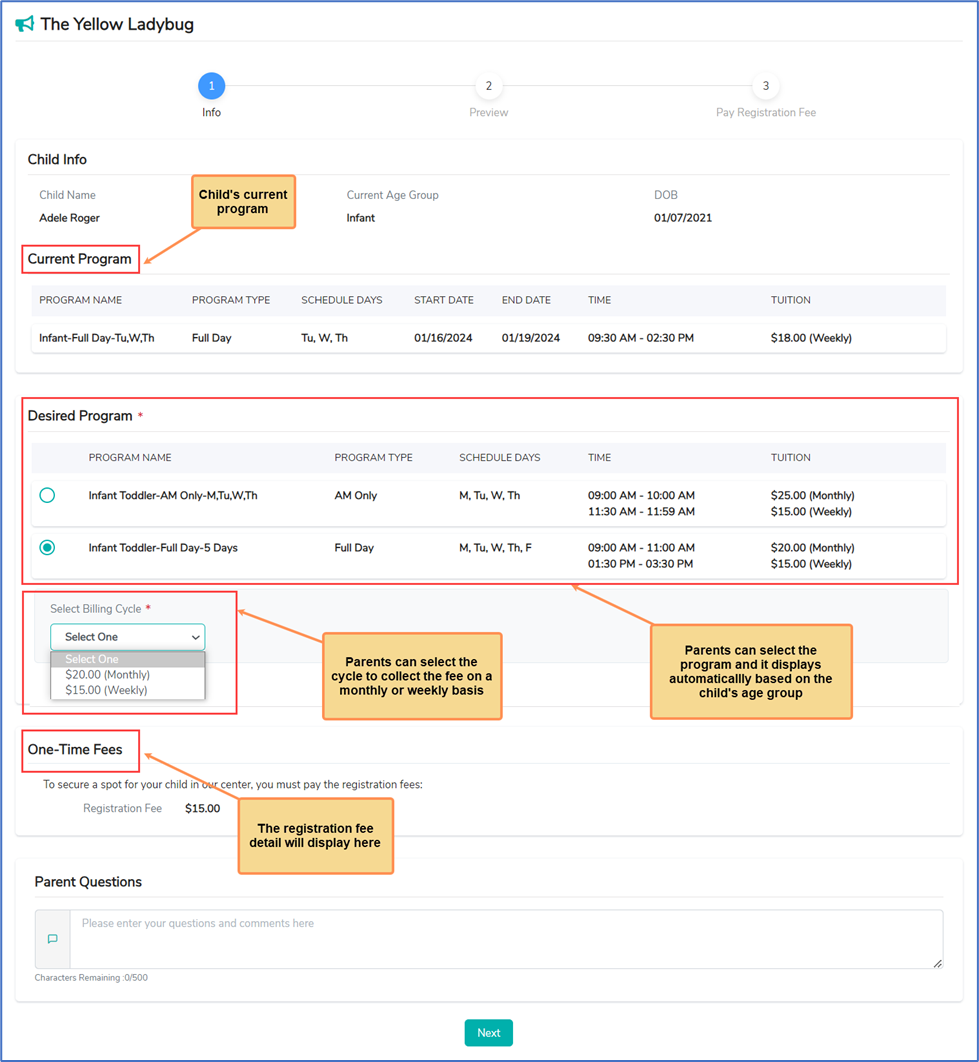
- By Program - Re-enrollment invite
This page will list the specific program based on the child’s upcoming age group. Parents can select the desired program for their child, to re-enroll in the center.
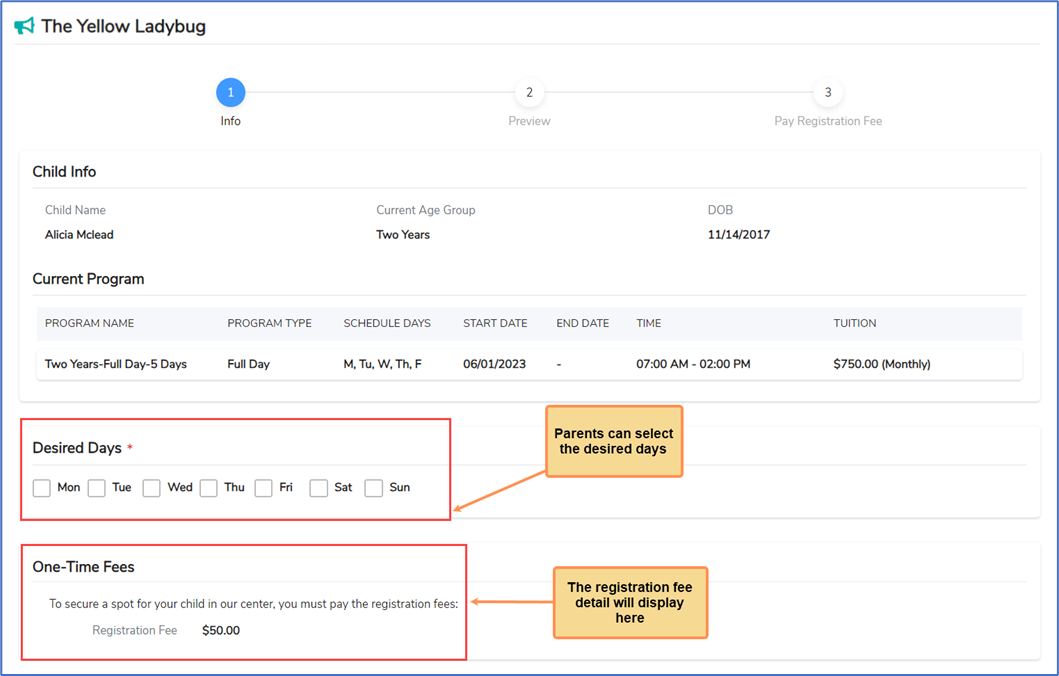
- By Program Schedule Days - Re-enrollment invite
In this page, parents can select the preferred days in the re-enrollment period.
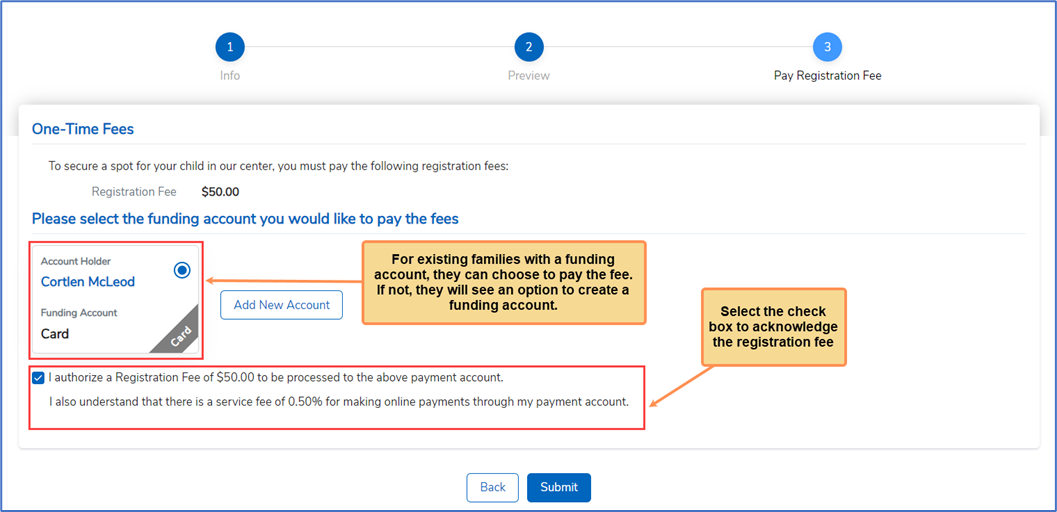
Once the parent submits the re-enrollment form, a notification email will be sent to the Director and the parent.
The Registration fees and charges will be posted to the Parent ledger, if they had made the payment.
1.2.2 Not Interested
If the parent is not interested in re-enrollment, they can select the 'Not interested' option.
On selecting the 'Not Interested' option, they will be redirected to the page displayed below and they can enter the reason for not re-enrolling in the center.
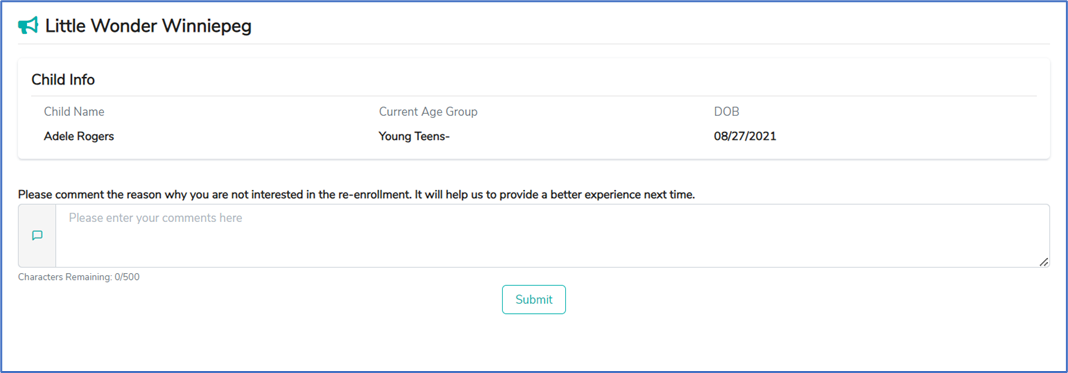
Once the parent submits the response, both director and parent will receive an E-mail notification.
1.3 Re-Enrollment Campaign Dashboard
1.3.1 Interested
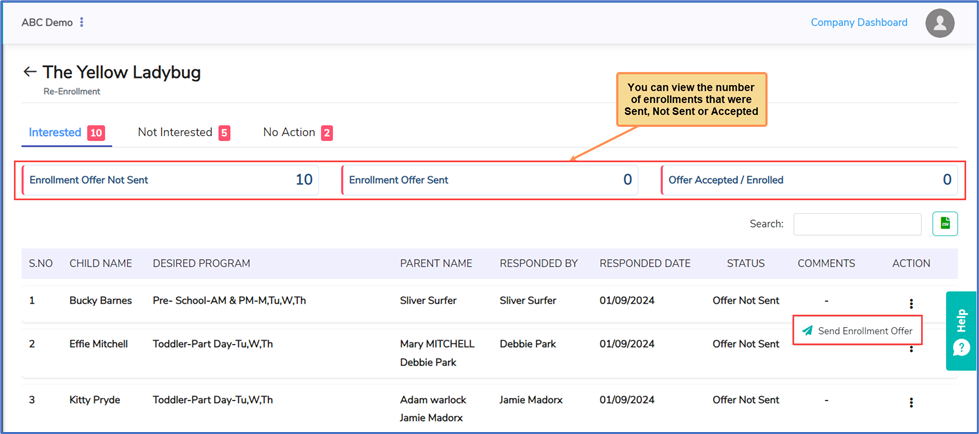
When parents accept the invitation, the child will come under the ‘Interested’ category and the Director can send the enrollment offer.
1.3.2 Not Interested
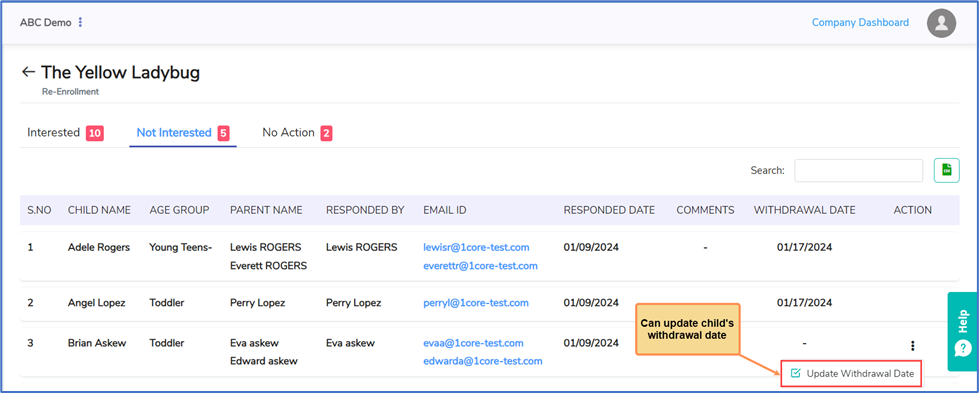
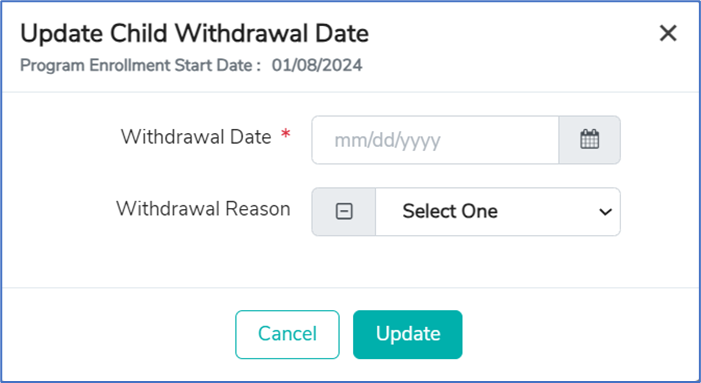
If parents select 'Not Interested', the child is categorized as 'Not Interested' and the director can update the withdrawal date for the child, which will be displayed in the child's profile.
1.3.3 No Action
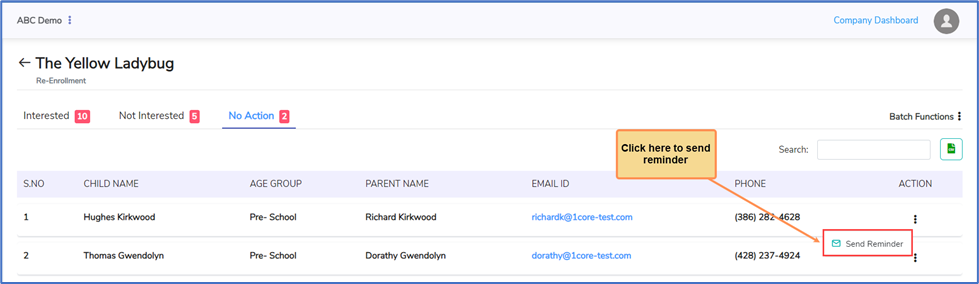
If the center does not get any response for the re-enrollment invitation from parents, they will be categorized under 'No Action'. The director may send reminders to those parents as a follow up.